Initial Rule Creation
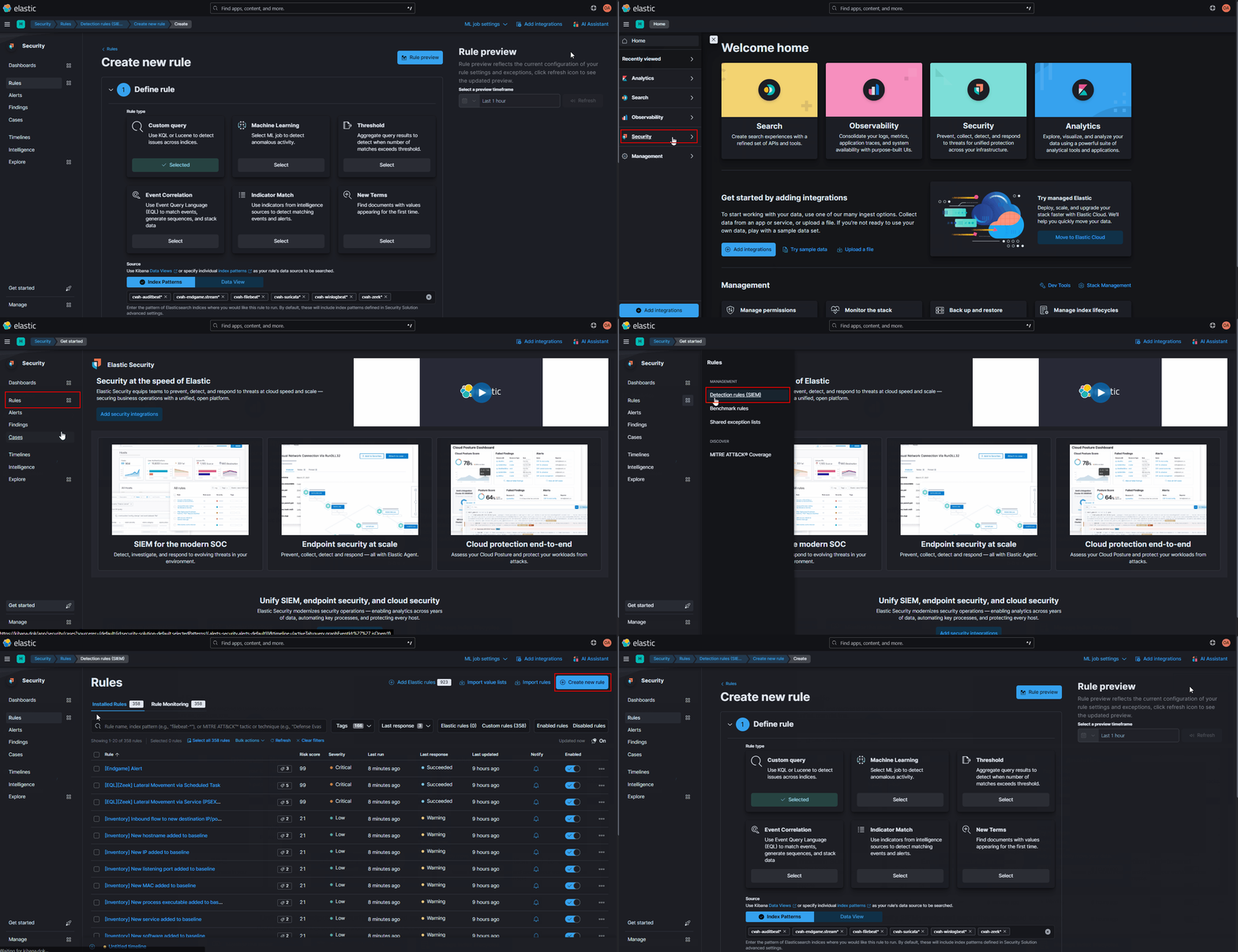
-
Expand the left-hand menu and navigate to the
Securityapp -
Click on the
Rulesbutton under the Security app -
Click the
Detection rules (SIEM)option from the Rules section -
Click on the
+Create new rulebutton in the top-right corner of the Rules page -
Select the Rule type that you want to create
Rule Types-
Custom query – Alert on any results that hit on a Lucene/KQL query.
-
Indicator Match – Alert if a certain value from a given list of indicators is seen in a specific field, good for alerting on atomic IOC lists.
- Example: alert if a known hash is seen in the
related.hashfield
- Example: alert if a known hash is seen in the
-
Threshold – For alerting on a number of results that hit on a Lucene/KQL query within a given time period.
- Example: alert on >5 failed logons within a 5-minute period
-
New Terms (Advanced) – Alerts on values seen in a specific field for the first time within a time period.
- Example: alert if a new IP is seen within a 24-hour period
-
Event Correlation (Advanced) – A more advanced rule-type that uses the same EQL as Endgame for alerting a sequence of events.
- Example: alert if a sequence of commands is seen
-
Machine Learning (Advanced) – Uses a Machine Learning job to detect anomalous activity (advanced level usage not covered in ths SOP). Best used against large datasets that have been collected over a long period of time (multiple weeks) and not for short-term engagements.
-